Overview
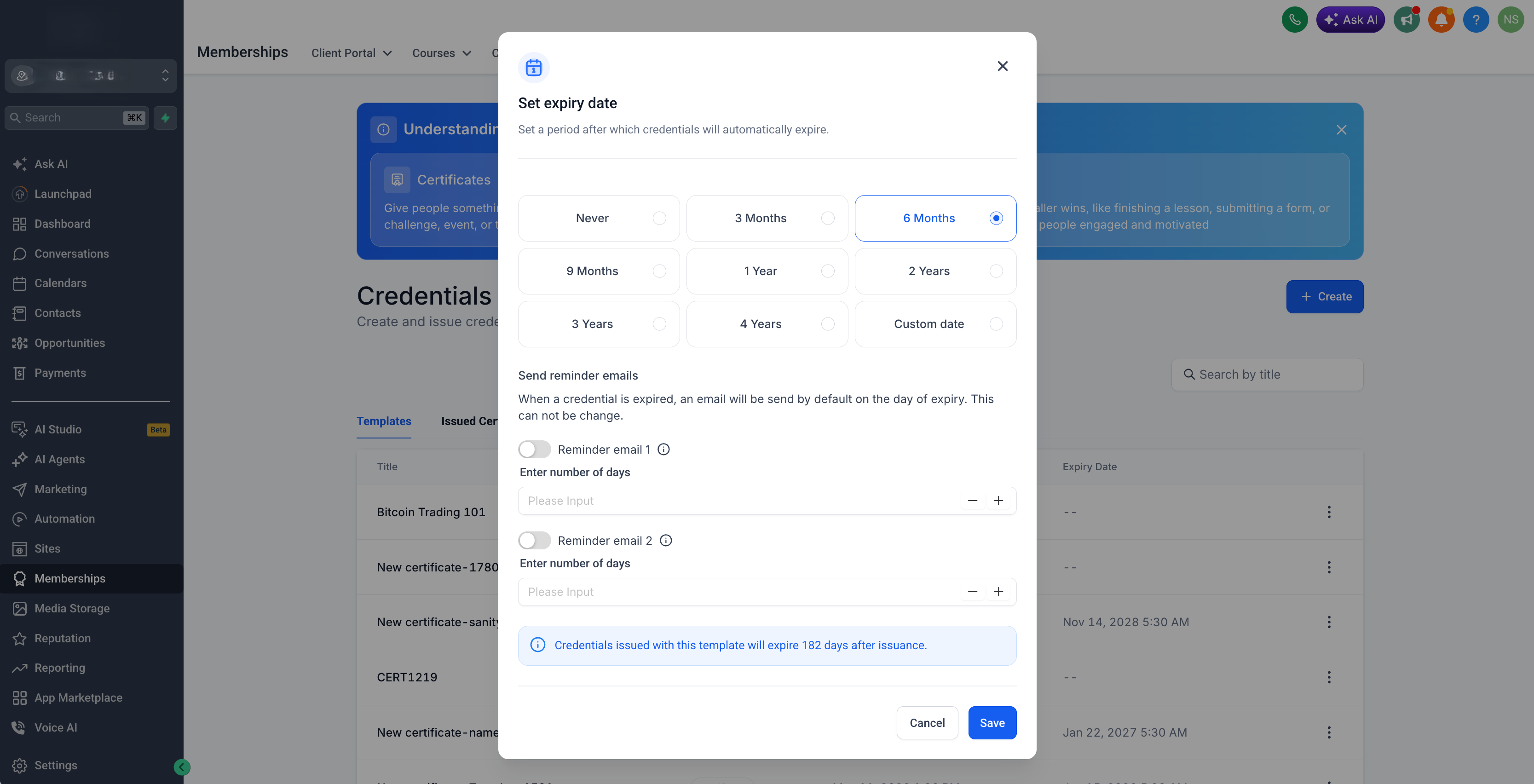
We have rolled out custom credential expiration for certificates and templates, so you can control how long issued credentials stay valid — from never expire, to a fixed date, or relative durations from the date of issue.
Key highlights:
- Set expiry to Never, a fixed date, or relative from issue date
- Relative options include 3 / 6 / 9 / 12 / 24 / 36 months
- Configure reminder offsets so recipients are notified before expiry
- Timezone-aware expiry calculation and scheduling
- Expiry settings shown clearly in credential/template lists and modals
Why this matters:
- Give creators flexible expiry rules without manual follow-ups
- Reduce expired-credential surprises with timely reminders
Getting started:
- Open a certificate / credential template
- Configure expiration (Never, fixed date, or relative months from issue)
- Optionally set reminder offsets
- Newly issued credentials will calculate and store expiry based on your settings
Was this article helpful?
That’s Great!
Thank you for your feedback
Sorry! We couldn't be helpful
Thank you for your feedback
Feedback sent
We appreciate your effort and will try to fix the article