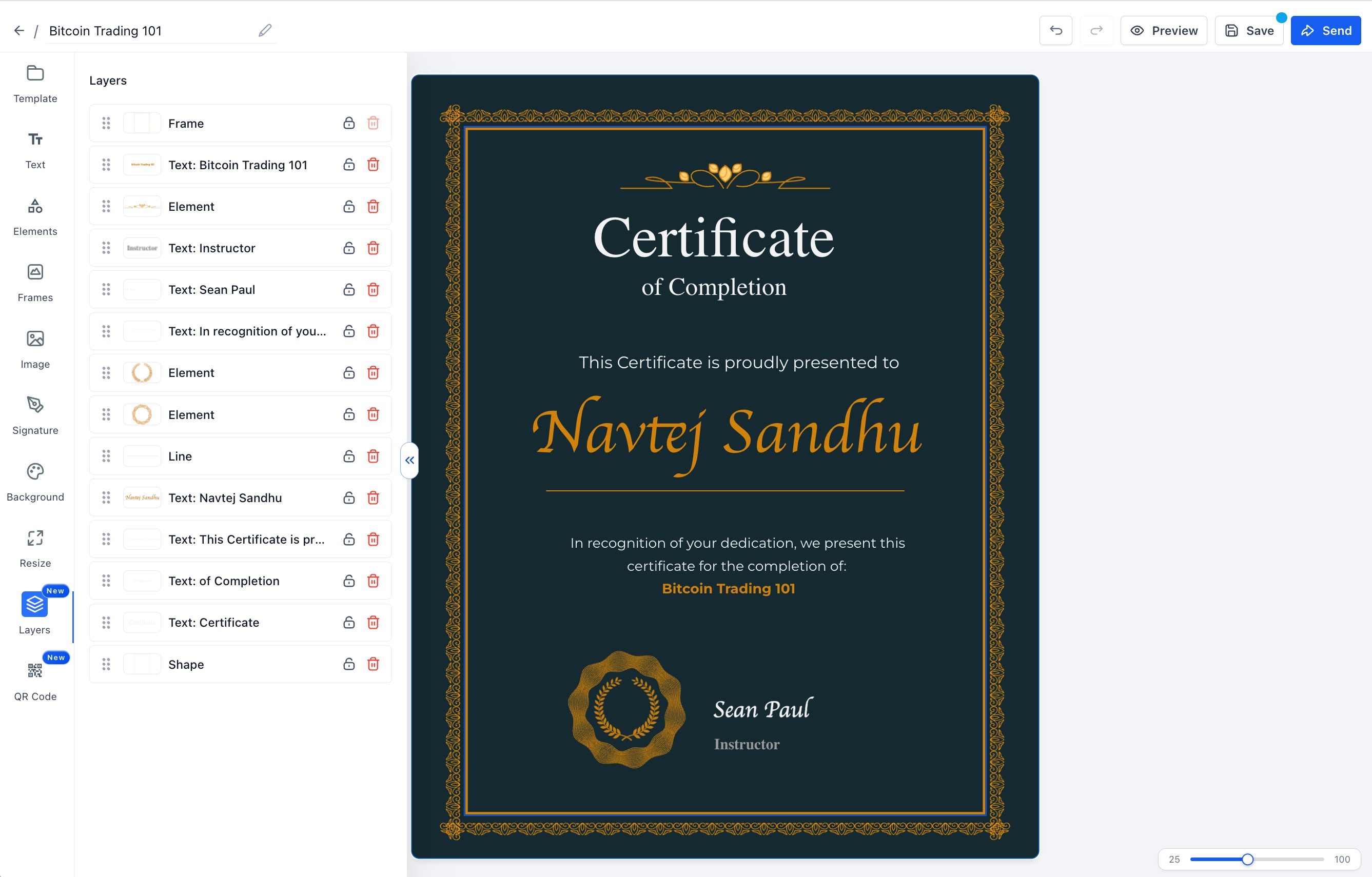
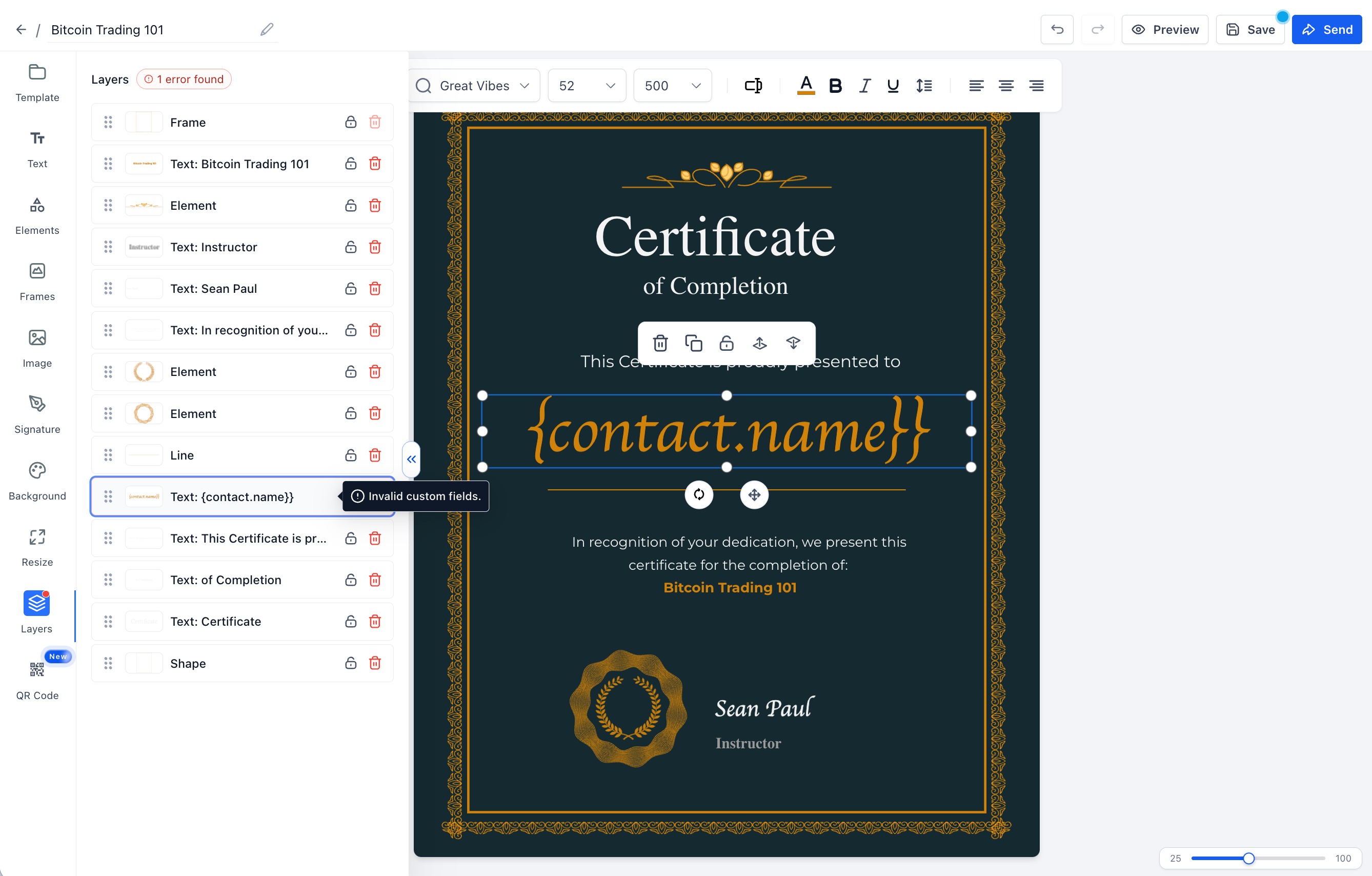
We have rolled out a dedicated Layers panel in the Certificate / Badge Builder, so creators can see stacking order, lock elements, and catch broken custom-field placeholders before publishing.
Key highlights:
- New Layers tab in the builder sidebar with full canvas stack view
- Click a layer to select it on the canvas; drag-and-drop to reorder
- Per-layer lock/unlock — locked layers can’t be moved, resized, deleted, or edited via shortcuts
- Delete unlocked layers directly from the panel
- Invalid custom-field placeholders flagged with error pill
- Manual save warns when invalid placeholders exist (auto-save unchanged)
Why this matters:
- Clearer control over overlapping certificate elements
- Fewer accidental edits with lock protection
- Catch broken placeholders before certificates are issued
- Familiar design-tool UX for faster template building
Getting started:
- Open Certificate / Badge Builder
- Select the Layers tab in the left sidebar
- Click rows to select, drag to reorder, lock to protect, delete to remove
- Fix any invalid custom fields shown in the error pill before publishing
Was this article helpful?
That’s Great!
Thank you for your feedback
Sorry! We couldn't be helpful
Thank you for your feedback
Feedback sent
We appreciate your effort and will try to fix the article